Finding reliable WordPress hosting at a reasonable price doesn’t have to be difficult. After working with dozens of hosting companies over the years, I’ve learned that a higher monthly price doesn’t always translate into better performance or a better user experience. For most personal blogs, business websites, portfolios, and small online stores, affordable WordPress hosting plans offer everything you need to build a fast, secure, and reliable website. Features like SSD storage, free SSL certificates, one-click WordPress installation, automatic backups, and dependable uptime are now included with many budget-friendly hosting providers.
The key is knowing which companies deliver real value instead of charging extra for features you may never use. A good hosting provider should offer consistent performance, responsive customer support, and room to grow as your website attracts more visitors—all without stretching your budget.
In this guide, I’ve reviewed and compared some of the best WordPress hosting providers for 2026. To make your decision easier, I’ve grouped each host based on its biggest strengths, including overall value, beginner-friendly features, website speed, customer support, and scalability. You’ll also find a quick comparison table to help you choose the right hosting solution for your website.
| WordPress Hosting Provider | Best For | Starting Price | Average Speed / Uptime | Why Choose It? |
|---|---|---|---|---|
| Bluehost | Ideal for beginners and WordPress users | $1.99/mo. | 1.01s / 100% | Official WordPress recommendation with an easy setup process. |
| Network Solutions | Best for small business websites | $2.99/mo. | 2.10s / 99.98% | Simple hosting plans with free domain and business-focused tools. |
| HostArmada | Best budget-friendly hosting with premium features | $2.49/mo. | 1.20s / 99.99% | Excellent security, free daily backups, and reliable performance. |
| Hostinger | Best overall value for money | $2.69/mo. | 1.19s / 99.99% | Fast LiteSpeed servers, beginner-friendly dashboard, and affordable pricing. |
| DreamHost | Best for long-term website projects | $1.99/mo. | 2.57s / 100% | Generous money-back guarantee and unlimited traffic on most plans. |
| Hosting.com | Great for speed and growing websites | $2.99/mo. | 1.35s / 100% | High-performance hosting with developer-friendly features. |
| WordPress.com | Best managed WordPress hosting | $2.75/mo. | 0.72s / 100% | Fully managed platform with automatic updates and built-in security. |
| InMotion Hosting | Best for hosting multiple websites | $5.29/mo. | 0.97s / 100% | Strong performance, excellent support, and scalable hosting plans. |
Note: Prices, performance, and uptime may change over time. Always check the provider’s latest plans before purchasing.
Best WordPress Hosting Categories
- Best for Beginners – Easy-to-use and affordable WordPress hosting.
- Best for Long-Term Savings – Great value for websites running 5+ years.
- Best Managed WordPress Hosting – Hassle-free hosting with automatic maintenance.
- Best for Multiple Websites – Perfect for hosting several WordPress sites on one plan.
ghhgh
Bluehost – Best WordPress Hosting for Beginners
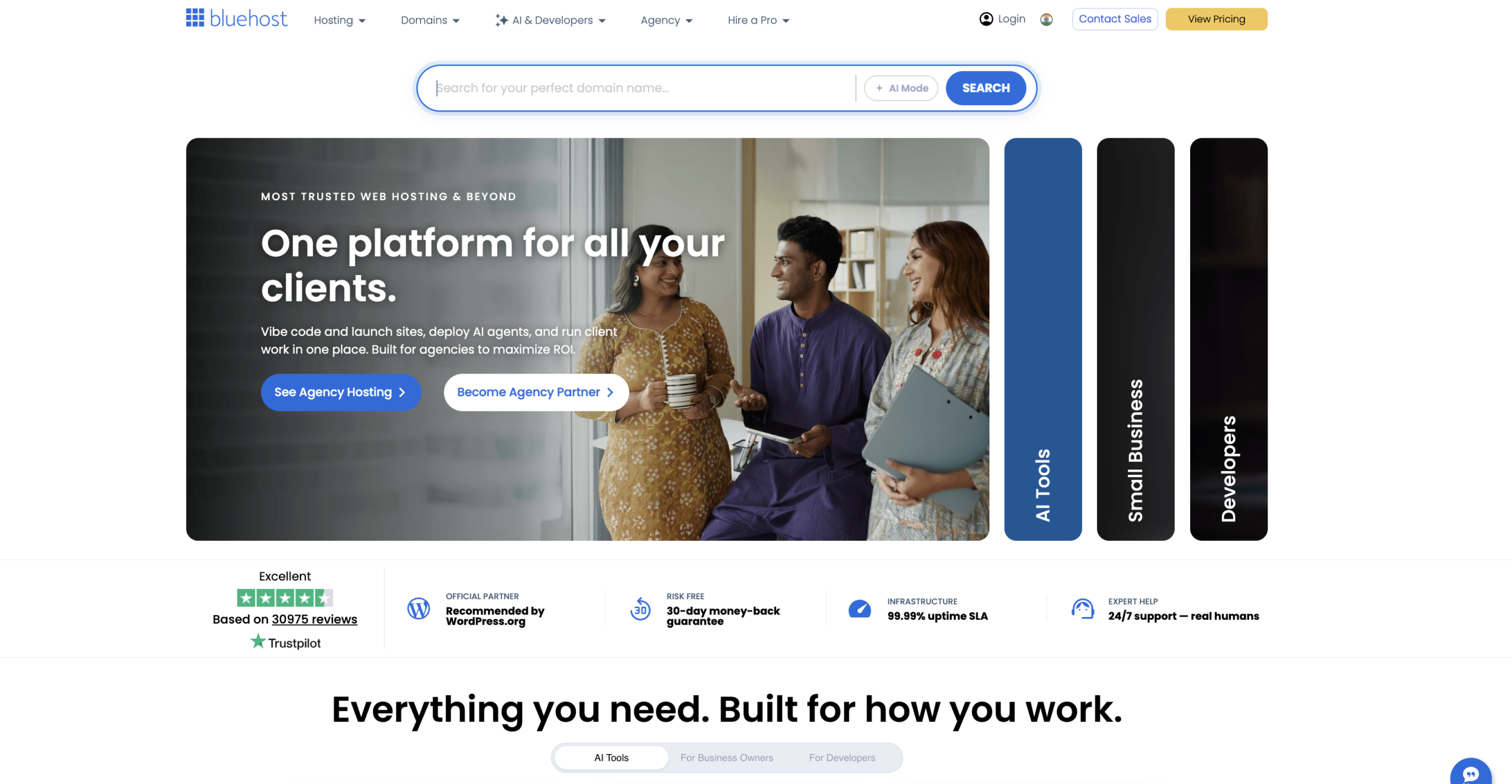
Bluehost is one of the most trusted names in WordPress hosting, making it an excellent choice for beginners who want an easy and affordable way to launch a website. Whether you’re starting a personal blog, portfolio, business website, or small online store, Bluehost provides all the essential tools needed to get online without technical experience.
The hosting plans include a free domain name for the first year, a free SSL certificate to secure your website, one-click WordPress installation, and an intuitive control panel that makes website management simple. Bluehost also offers AI-powered website creation tools, helping new users build a professional-looking site in just a few minutes.
Another advantage is the ability to host multiple websites on selected plans, making Bluehost a cost-effective WordPress hosting solution if you plan to manage more than one project. As your website grows, you can easily upgrade to more powerful hosting plans without migrating to another provider.
In terms of performance, Bluehost delivers reliable uptime, fast SSD storage, and a global CDN to improve loading speeds for visitors around the world. Regular automatic updates, built-in security features, and 24/7 customer support further enhance the overall hosting experience.
The introductory pricing offers excellent value for new website owners, although renewal prices are higher after the initial term. Even with the increased renewal cost, Bluehost continues to be one of the best WordPress hosting providers for beginners thanks to its ease of use, dependable performance, strong security features, and excellent WordPress integration.
Bluehost Pros and Cons
| Bluehost Pros | Bluehost Cons |
|---|---|
| Beginner-friendly dashboard with easy website management | Renewal prices are significantly higher than introductory rates |
| Officially recommended by WordPress.org | Entry-level plan supports only one website |
| Free domain name for the first year | Website migration is not free on all plans |
| Free SSL certificate included with all shared hosting plans | Data centres are limited compared to some competitors |
| One-click WordPress installation and automatic updates | Daily backups require a higher-tier plan or paid add-on |
| Reliable uptime and solid performance for WordPress websites | Basic plan has limited storage and resources |
| 24/7 customer support via live chat and phone | Advanced developer features are limited on entry-level plans |
| Easy integration with WooCommerce for online stores | Some security and backup features cost extra |
| Scalable hosting plans as your website grows | Introductory pricing usually requires a longer commitment |
| User-friendly AI website builder and cPanel access | Can become more expensive than some budget hosting providers over time |
Bluehost Customer Support
| Feature | Details |
|---|---|
| Support Availability | 24/7 customer support throughout the year |
| Support Channels | Live chat, phone support, and knowledge base |
| Response Time | Live chat is generally quick, while phone support is available for more complex issues |
| Knowledge Base | Extensive collection of tutorials, FAQs, and WordPress guides |
| WordPress Expertise | Support team is familiar with WordPress installation, updates, and troubleshooting |
| Best For | Beginners, bloggers, small businesses, and WordPress users needing regular assistance |
| Overall Rating | ⭐ 4.5/5 for accessibility and WordPress-focused support |
Final Conclusion for Bluehost
Bluehost remains one of the top choices for WordPress hosting, especially for beginners, bloggers, freelancers, and small businesses. It combines an easy-to-use control panel, one-click WordPress installation, free domain registration for the first year, free SSL, and dependable performance into an affordable hosting package. Although its renewal prices are higher than the introductory rates and some advanced features require paid upgrades, Bluehost delivers excellent value with its strong uptime, reliable customer support, and seamless WordPress integration. If you’re looking for a trusted and user-friendly WordPress hosting provider to build or grow your website, Bluehost is a solid and dependable choice.
ghhgh
Network Solutions – Budget WordPress Hosting for Small Business Websites
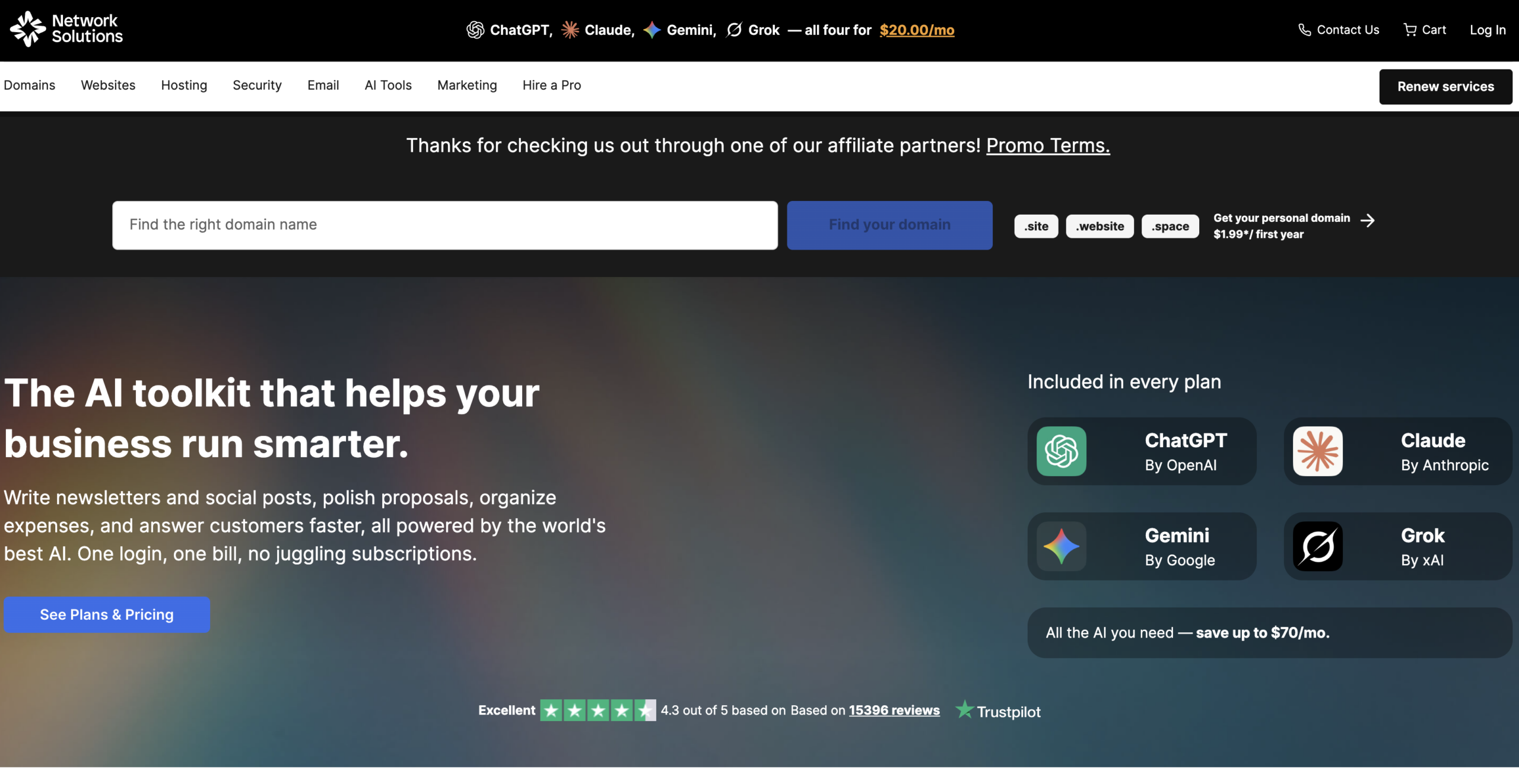
If you’re searching for dependable WordPress hosting with business-focused features, Network Solutions is a solid option for beginners, bloggers, and small businesses. Its hosting plans are designed to make launching a WordPress website simple, even if you have little or no technical experience.
Most WordPress hosting plans include a free domain for the first year, a free SSL certificate, one-click WordPress installation, and an easy-to-use control panel. These features help new website owners get online quickly while keeping setup and maintenance straightforward. Network Solutions performs well for websites with moderate traffic, offering reliable uptime, SSD storage, and built-in security tools to keep your site running smoothly. It also includes essential website management features such as automatic updates, email hosting options, and 24/7 customer support, making it a practical choice for business websites.
Another advantage is its scalable hosting environment. As your website grows, you can upgrade your WordPress hosting plan without migrating to another provider. This flexibility makes it suitable for users who expect their traffic and business needs to increase over time.
Although its introductory pricing may not always be the lowest on the market, Network Solutions delivers good value by combining reliable performance, strong security, and beginner-friendly tools in one package. If you want a trusted WordPress hosting provider that focuses on simplicity and business reliability, Network Solutions is worth considering for your next website.
Network Solutions Pros and Cons
| Pros | Cons |
|---|---|
| Beginner-friendly hosting with an easy website setup process | Renewal prices are higher than the introductory offer |
| Free domain name included for the first year (on eligible plans) | Limited storage and resources on entry-level plans |
| Free SSL certificate helps secure your website | Performance is not as fast as some premium hosting providers |
| One-click WordPress installation for quick setup | No advanced developer features on basic shared hosting plans |
| Reliable uptime for small business and personal websites | Backup and advanced security features may require additional payment |
| User-friendly hosting dashboard for easy website management | Limited data centre locations compared to larger competitors |
| Suitable for WordPress, blogs, and small business websites | Customer support response times can vary during peak hours |
| 24/7 customer support via chat and phone | Higher pricing than some budget hosting providers |
| Scalable hosting plans as your website grows | Website migration services may not be free on all plans |
| Long-established hosting provider with a trusted brand reputation | Fewer performance optimisation tools than some modern hosting companies |
Network Solutions Customer Support
| Feature | Details |
|---|---|
| Support Availability | 24/7 customer support for hosting-related issues |
| Support Channels | Live chat, phone support, and an online knowledge base |
| Technical Assistance | Help with WordPress installation, website setup, domain management, email configuration, and hosting issues |
| Response Time | Live chat is generally faster for common queries, while complex technical issues may take longer to resolve |
| Knowledge Base | Includes tutorials, FAQs, setup guides, and troubleshooting articles for beginners |
| WordPress Support | Assistance with WordPress installation, updates, and basic troubleshooting |
| Best For | Beginners, bloggers, small businesses, and users who need guided hosting support |
| Overall Support Quality | Reliable for everyday hosting needs, though response times and issue resolution may vary depending on the complexity of the request. |
Final Conclusion for Network Solutions
Network Solutions is a dependable WordPress hosting provider for beginners, bloggers, and small businesses looking for a simple and reliable hosting solution. It offers essential features such as a free domain on eligible plans, free SSL certificates, one-click WordPress installation, and an easy-to-use hosting dashboard, making it straightforward to launch and manage a website. While its introductory plans provide good value, renewal prices are higher, and it lacks some of the advanced performance and developer features offered by newer hosting providers. However, with reliable uptime, solid security, and 24/7 customer support, Network Solutions remains a practical choice for users who prioritise ease of use and trusted service over advanced hosting capabilities. If you’re looking for stable and beginner-friendly WordPress hosting, Network Solutions is a worthwhile option to consider.
ghhgh
Hosting.com – Reliable WordPress Hosting for Beginners and Growing Websites
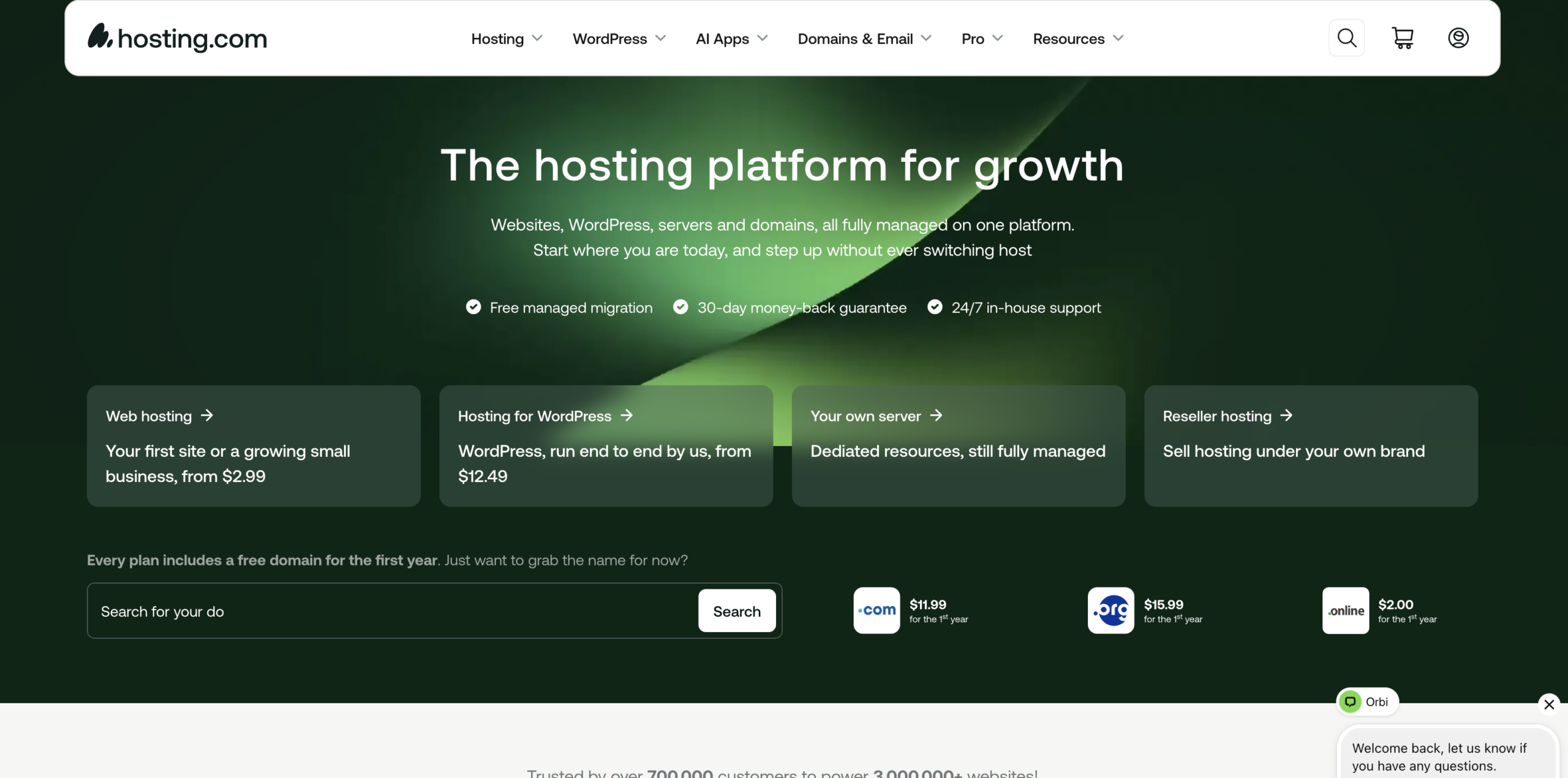
Hosting.com is a trusted WordPress hosting provider that offers fast, secure, and performance-focused hosting solutions for bloggers, business websites, online stores, and developers. Previously known as A2 Hosting, the company has built a strong reputation for speed, reliability, and WordPress optimisation.
Its entry-level hosting plan starts at $2.99 per month with an annual subscription, making it an affordable choice for users launching a new WordPress website. While the introductory price delivers excellent value, it’s worth noting that renewal rates are higher after the initial term, so planning for long-term costs is important.
The starter plan includes hosting for one website, a free domain for the first year, 15 GB SSD storage, unmetered bandwidth, free SSL security, and support for up to five professional email accounts. These features make it a solid option for personal blogs, portfolios, and small business websites.
Hosting.com also provides WordPress-specific performance enhancements, dependable uptime, and user-friendly management tools, allowing beginners to build and manage their websites with ease while giving experienced users the flexibility they need.
Based on user feedback and independent testing, Hosting.com continues to receive positive ratings for speed, customer support, and overall service quality, making it one of the leading choices for reliable WordPress hosting in 2026.
Hosting.com Pros and Cons
| Pros | Cons |
|---|---|
| Fast, high-performance hosting with SSD/NVMe storage | Renewal prices are considerably higher than introductory rates |
| Optimised WordPress hosting with one-click installation | Entry-level plans have limited storage and resources |
| Free domain for the first year on eligible plans | Some advanced features are available only on higher-tier plans |
| Free SSL certificate included with hosting plans | Phone support may not be available in all regions |
| Strong security features, including malware protection and firewalls | Premium backup and security tools may require additional payment |
| Reliable uptime and excellent website loading speeds | Beginners may find the number of hosting options overwhelming |
| User-friendly control panel for easy website management | Cheapest plans are designed for smaller websites only |
| Free website migration on many hosting plans | Long-term costs increase after the promotional period |
| Scalable hosting options, including VPS and dedicated servers | Fewer bundled extras than some competitors |
| 24/7 expert customer support via live chat, email, and ticket system | Advanced developer tools may require higher-tier hosting plans |
Hosting.com Customer Support
| Feature | Details |
|---|---|
| Support Availability | 24/7 customer support available throughout the year |
| Support Channels | Live chat, email, ticket system, and an extensive knowledge base |
| Technical Assistance | Help with WordPress installation, website migration, SSL setup, email configuration, performance optimisation, and server-related issues |
| Response Time | Live chat typically provides quick responses, while more complex technical requests are handled through the ticket system |
| Knowledge Base | Comprehensive library of tutorials, FAQs, setup guides, and troubleshooting articles for beginners and advanced users |
| WordPress Support | Expert assistance with WordPress installation, updates, plugin issues, theme configuration, and performance tuning |
| Migration Support | Free website migration is available on many hosting plans, with support from the technical team |
| Best For | Bloggers, small businesses, developers, eCommerce stores, and users looking for reliable WordPress hosting support |
| Overall Support Quality | Hosting.com is known for its knowledgeable support team, fast response times, and helpful technical assistance, making it a reliable choice for both beginners and experienced WordPress users. |
Final Conclusion for Hosting.com
Hosting.com is an excellent WordPress hosting provider for users who value speed, reliability, and scalability. Formerly known as A2 Hosting, it offers performance-focused hosting with fast SSD/NVMe storage, free SSL certificates, a free domain on eligible plans, and one-click WordPress installation, making it suitable for beginners as well as experienced website owners. Its strong security features, dependable uptime, and responsive customer support help ensure a smooth hosting experience for blogs, business websites, and online stores. Although renewal prices are higher than the introductory rates, the overall performance, ease of use, and WordPress-optimised environment make Hosting.com a worthwhile investment. If you’re looking for fast, secure, and feature-rich WordPress hosting, Hosting.com is a reliable choice that can support your website as it grows.
ghhgh
HostArmada – Reliable WordPress Hosting for Beginners and Growing Websites

HostArmada is an excellent choice for WordPress users looking for reliable hosting at a competitive price. It strikes a great balance between affordability, performance, and premium features, making it suitable for beginners as well as growing websites.
Its entry-level WordPress hosting plan is budget-friendly and includes generous SSD storage, free website migration, a free SSL certificate, daily backups, and managed WordPress support. Unlike many low-cost providers, HostArmada also includes a free domain for the first year on eligible plans, adding even more value.
Performance is one of HostArmada’s strongest selling points. The company uses cloud-based infrastructure, LiteSpeed web servers (on supported plans), built-in caching, and multiple global data centres to deliver fast page loading times and dependable uptime. These features help WordPress websites remain responsive even as traffic grows.
Another major advantage is its customer support. HostArmada offers 24/7 assistance through live chat, tickets, and email, with a reputation for quick response times and knowledgeable technical support. Whether you’re launching your first blog or managing a business website, help is always available when you need it.
If you’re searching for a WordPress hosting provider that combines strong performance, excellent customer service, and feature-rich plans at an affordable price, HostArmada is a dependable option worth considering. It provides everything needed to build, secure, and scale a WordPress website without stretching your budget.
HostArmada Pros and Cons
| Pros | Cons |
|---|---|
| Fast SSD Cloud Hosting – Uses cloud infrastructure with NVMe SSD storage for improved website speed. | Higher Renewal Prices – Introductory discounts are attractive, but renewal rates are significantly higher. |
| Free Website Migration – Professional migration service is included for existing websites. | Limited Storage on Entry Plan – The basic shared hosting plan offers less storage than some competitors. |
| Free Daily Backups – Automatic daily backups are included with all shared hosting plans. | Data Centers Limited Compared to Top Competitors – Fewer global server locations than providers like Hostinger or Cloudways. |
| Free SSL Certificate – Includes a Let’s Encrypt SSL certificate for every hosted domain. | No Windows Hosting – Only Linux-based hosting is available. |
| Excellent Customer Support – 24/7 support via live chat, tickets, and phone with fast response times. | Advanced Features on Higher Plans – Some developer and performance features require upgraded plans. |
| 99.9% Uptime Guarantee – Reliable performance backed by an uptime commitment. | No Free Domain on Every Plan – Depending on promotions and plan selection, a free domain may not always be included. |
| User-Friendly cPanel – Easy-to-use control panel suitable for beginners. | Fewer Budget Plan Options – Competitors like Namecheap and Hostinger may offer cheaper long-term entry plans. |
| Strong Security Features – Includes Web Application Firewall (WAF), malware scanning, brute-force protection, and free SSL. | Promotional Pricing Requires Longer Commitment – The lowest prices usually require multi-year subscriptions. |
| Optimized for WordPress – One-click WordPress installation, LiteSpeed technology (on applicable plans), and caching improve WordPress performance. | Smaller Brand Recognition – Less well-known than Bluehost, SiteGround, or Hostinger. |
HostArmada Customer Support
| Support Feature | Details |
|---|---|
| Support Availability | 24/7/365 customer support |
| Live Chat | Available 24/7 with quick response times |
| Ticket Support | Available for technical issues and account-related queries |
| Phone Support | Available for sales and technical assistance |
| Email Support | Available through the support ticket system |
| Knowledge Base | Extensive collection of tutorials, FAQs, and troubleshooting guides |
| WordPress Support | Assistance with WordPress installation, migration, updates, and common issues |
| Website Migration | Free website migration performed by the HostArmada support team |
| Server Monitoring | 24/7 proactive server monitoring to detect and resolve issues quickly |
| Average Response Time | Live chat responses are typically within a few minutes; ticket response times are generally fast |
| Technical Expertise | Experienced support staff capable of handling hosting, WordPress, email, DNS, SSL, databases, and server-related issues |
| Languages Supported | Primarily English |
| Customer Satisfaction | Generally receives positive reviews for friendly, knowledgeable, and responsive support |
Final Conclusion for Hostarmada
HostArmada has established itself as a reliable hosting provider by combining cloud-based infrastructure, solid security features, and responsive customer support into an affordable package. Whether you’re launching your first WordPress website, running a personal blog, or managing a growing business site, it offers the tools needed to keep your website fast, secure, and online.
One of HostArmada’s biggest strengths is its focus on performance. With cloud hosting technology, NVMe SSD storage, built-in caching, free SSL certificates, daily backups, and multiple data centre locations, it delivers a stable hosting environment that works well for most websites. Beginners will appreciate the intuitive cPanel interface and one-click WordPress installation, while developers can benefit from SSH access, Git integration, and staging features available on higher-tier plans.
Customer support is another area where HostArmada performs well. Its 24/7 live chat, ticket, and phone support are backed by knowledgeable technicians who can help with everything from WordPress troubleshooting to website migrations. The inclusion of free website migration also makes switching from another hosting provider straightforward.
Of course, HostArmada isn’t perfect. Renewal prices are noticeably higher than the introductory rates, and entry-level plans provide less storage than some competing hosts. Users looking for the cheapest long-term hosting or advanced enterprise-level features may find alternatives better suited to their requirements.
Overall, HostArmada offers an excellent balance of speed, reliability, security, and value. It is a strong choice for bloggers, freelancers, small businesses, agencies, and WordPress users who want dependable cloud hosting without the complexity of managing their own server.
ghhgh
Hostinger – Affordable Hosting with Excellent Long-Term Value

Hostinger has earned a reputation as one of the best-value web hosting providers, offering a strong combination of low prices, reliable performance, and beginner-friendly features. With introductory plans often starting at around $2.69 per month (depending on promotions and contract length), it’s an excellent choice for anyone launching a new website without overspending.
Unlike many budget hosts that only focus on keeping prices low, Hostinger includes plenty of useful extras. Most plans come with a free domain for the first year, free SSL certificates, managed WordPress features, email hosting, and a custom hPanel that makes website management simple even for first-time users.
For users planning to keep their website online for several years, Hostinger delivers impressive long-term value. Although renewal prices are higher than the introductory offer—as is common across the hosting industry—the overall cost remains competitive when compared with many other premium hosting providers. Choosing a longer billing cycle upfront usually provides the biggest savings.
Hostinger’s hosting plans are also designed to scale. You can begin with an affordable shared hosting package and upgrade to cloud or VPS hosting as your website attracts more visitors. This flexibility makes it suitable for personal blogs, portfolios, business websites, online stores, and growing WordPress projects.
In our experience, Hostinger stands out for its excellent balance of speed, uptime, affordability, and ease of use. Its modern infrastructure, global data centres, AI-powered tools, and responsive customer support make it one of the strongest hosting options available for beginners and experienced website owners alike.
If you’re looking for a hosting provider that offers premium features at a budget-friendly price, Hostinger is one of the best choices in 2026, especially for users who want reliable performance without paying premium hosting fees.
Hostinger Pros and Cons
| Pros | Cons |
|---|---|
| Affordable Pricing – One of the most budget-friendly hosting providers, especially with long-term plans. | Higher Renewal Prices – Introductory discounts are attractive, but renewal rates are significantly higher. |
| Excellent Performance – Fast loading speeds with LiteSpeed web servers and NVMe SSD storage on many plans. | No Traditional cPanel – Uses Hostinger’s custom hPanel instead of the widely used cPanel. |
| Free Domain – Most Premium and Business plans include a free domain for the first year. | Weekly Backups on Basic Plans – Daily backups are generally reserved for higher-tier plans. |
| Free SSL Certificates – SSL is included for all websites at no additional cost. | Phone Support Not Available – Customer support is provided through live chat and tickets only. |
| Beginner-Friendly hPanel – Simple and intuitive dashboard for managing websites, emails, and domains. | Entry Plan Has Limited Resources – The basic shared hosting plan may not be suitable for high-traffic websites. |
| Optimised for WordPress – One-click installation, managed updates, and WordPress performance enhancements. | Advanced Features on Higher Plans – Some premium tools and resources are available only on Business or Cloud plans. |
| 99.9% Uptime Guarantee – Reliable hosting with consistent uptime and dependable infrastructure. | Free Domain Not Included on Every Plan – The lowest-tier plans may not include a free domain. |
| Global Data Centres – Multiple server locations help improve website speed for visitors worldwide. | Linux-Based Shared Hosting Only – Windows shared hosting is not available. |
| 24/7 Customer Support – Live chat support is available around the clock with knowledgeable staff. | Best Discounts Require Long-Term Plans – The lowest promotional prices are available with longer billing cycles. |
| Scalable Hosting Options – Easily upgrade from Shared Hosting to Cloud or VPS hosting as your website grows. | Shared Hosting Resource Limits – CPU and memory limits may affect websites with consistently high traffic. |
Hostinger Customer Support
| Support Feature | Details |
|---|---|
| Support Availability | 24/7/365 customer support |
| Live Chat | Available 24/7 for all customers through the Hostinger Help Center |
| Phone Support | Not available |
| Email Support | Available through the ticketing system for account and technical issues |
| Support Tickets | Available for billing, technical, migration, and account-related queries |
| Knowledge Base | Extensive library of tutorials, setup guides, FAQs, and troubleshooting articles |
| AI Support Assistant | AI-powered assistant helps answer common hosting and WordPress questions instantly |
| WordPress Support | Assistance with WordPress installation, migration, updates, performance, and troubleshooting |
| Website Migration | Free website migration service for eligible websites |
| Response Time | Live chat responses are generally within a few minutes, while tickets are typically answered promptly |
| Technical Expertise | Support team assists with hosting, domains, SSL certificates, DNS, email, databases, and WordPress issues |
| Languages Supported | Support resources are available in multiple languages, with English as the primary language |
| Customer Satisfaction | Well-rated for fast response times, knowledgeable agents, and helpful documentation |
Final Conclusion for Hostinger
Hostinger has become one of the most trusted names in web hosting by offering an excellent mix of affordability, speed, and ease of use. Whether you’re creating your first blog, launching a business website, building an online store, or managing multiple WordPress projects, Hostinger provides a dependable hosting platform without stretching your budget.
A major advantage of Hostinger is its performance-focused infrastructure. Powered by LiteSpeed web servers, NVMe SSD storage on selected plans, built-in caching, and strategically located data centres, it delivers fast page loading times and reliable uptime. These features help improve user experience and can also contribute to better search engine rankings.
Hostinger is particularly beginner-friendly thanks to its intuitive hPanel, one-click WordPress installation, free SSL certificates, and guided setup process. At the same time, experienced users benefit from features such as staging tools, SSH access, Git integration, and scalable cloud and VPS hosting options as their websites grow.
Customer support is another strong point. With 24/7 live chat, an extensive knowledge base, and an AI-powered support assistant, users can quickly find solutions to both basic and advanced hosting issues. Free website migration also makes it easy to move an existing website from another hosting provider.
Like any hosting company, Hostinger has a few drawbacks. Renewal prices are higher than the introductory promotional rates, and phone support is not available. Additionally, some advanced features and higher resource limits are reserved for Business and Cloud hosting plans.
Overall, Hostinger delivers outstanding value for money. Its combination of competitive pricing, excellent performance, reliable security, and user-friendly tools makes it one of the best hosting providers for beginners, bloggers, freelancers, small businesses, and growing websites.
ghhgh